

Table of Contents
- What Is Inside a Smart Light Bulb?
- What Happens When You Control a Smart Bulb?
- How Do Smart Bulbs Connect?
- How Do Smart Bulbs Change Brightness and Color?
- How Do Schedules, Scenes, and Sensors Work?
- Why Must the Wall Switch Stay On?
- Do Smart Bulbs Work Without the Internet?
- How to Choose and Set Up a Smart Light Bulb
- Do Smart Light Bulbs Save Energy?
- FAQs
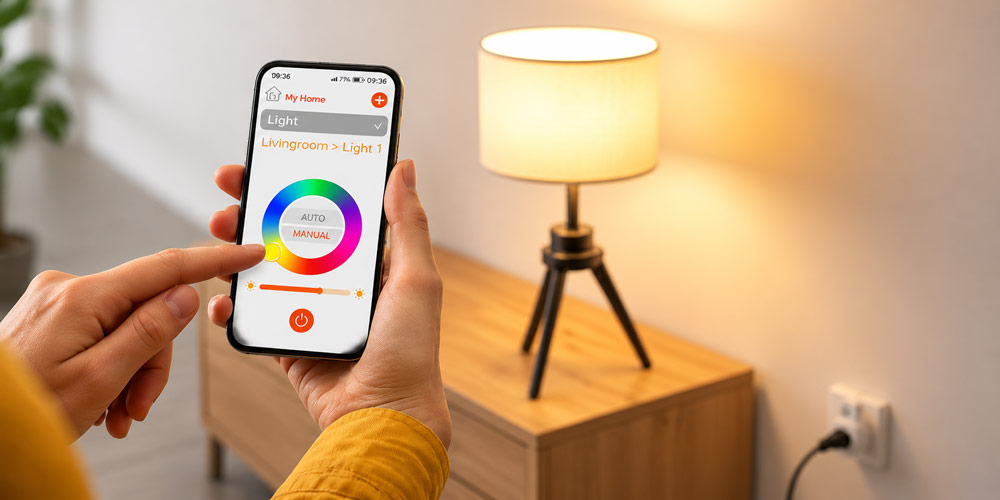
Smart light bulbs work by combining LED lighting, electronic controls, and wireless communication inside a single bulb. When you change a setting in an app, the bulb receives a command and adjusts its light output. Depending on the model, you can switch it on or off, dim the light, change its color, or automate when it operates.
The bulb still gets electricity from its socket. Its wireless connection carries instructions, allowing you to control the light without physically operating the power switch.
What Is Inside a Smart Light Bulb?
Several components work together to turn a wireless instruction into a visible lighting change:
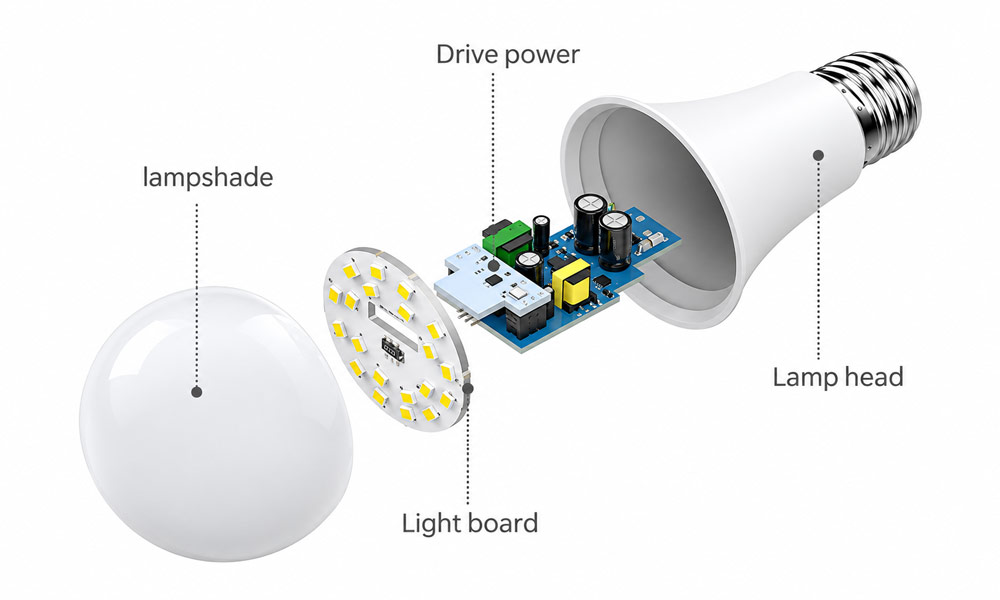
| Component | What it does |
|---|---|
| LED chips | Produce white or colored light |
| Power supply and LED driver | Convert incoming electricity and regulate power to the LEDs |
| Microcontroller | Processes commands and manages the bulb’s settings |
| Wireless radio | Communicates with a phone, router, hub, or compatible controller |
| Heat management components | Move heat away from the LEDs and electronics |
The microcontroller runs firmware, which is the software built into the bulb. It manages communication and tells the driver how to operate the LEDs. The available features depend on the bulb’s hardware and firmware. A white-only bulb, for example, cannot produce colored light simply because an app offers a color wheel.
What Happens When You Control a Smart Bulb?
Imagine adjusting a light to 30% brightness from your phone. The process generally follows four steps:
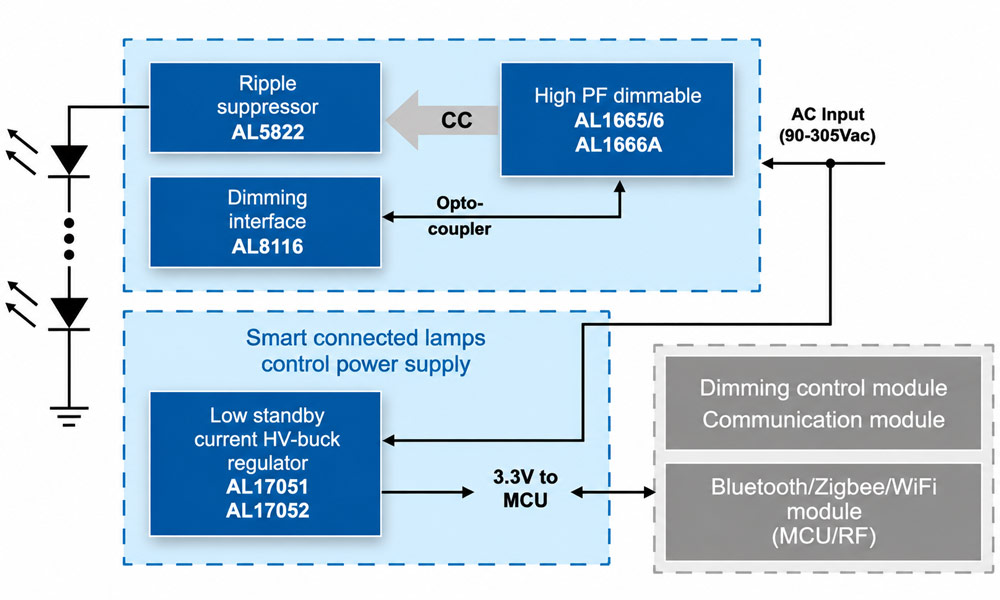
The LED driver controls brightness, the ripple suppressor smooths the LED current, and a separate power circuit supplies 3.3 V to the controller and wireless module.
- You select a setting. The app converts your adjustment into a lighting command.
- The command travels to the bulb. It may pass through your router, a lighting hub, or another compatible controller.
- The bulb processes the instruction. Its microcontroller interprets the requested brightness.
- The driver changes the LED output. The light becomes dimmer while the control electronics remain powered.
The route depends on the system. A nearby phone may communicate directly with a Bluetooth bulb. A Zigbee bulb usually receives commands through a compatible hub.
When you use voice control, a connected assistant first interprets your request and passes the appropriate command to the lighting system. Voice compatibility therefore depends on the bulb and the platform supporting each other.
How Do Smart Bulbs Connect?
Smart bulbs use several communication technologies. These determine how the bulbs connect, what supporting equipment they need, and which controls remain available when part of the system is offline.
| Connection | How it works | Supporting equipment | Main consideration |
|---|---|---|---|
| Wi-Fi | The bulb joins your home wireless network | A compatible Wi-Fi router; additional controller requirements vary | Check supported network bands and local-control features |
| Bluetooth | A nearby phone or controller communicates directly with the bulb | Usually no separate hub for basic nearby control | Distance and obstacles limit direct control |
| Zigbee | The bulb communicates over a separate mesh network | Usually a compatible hub or bridge | Confirm hub compatibility and supported features |
| Thread | The bulb communicates over an IP-based mesh network | A typical Matter-over-Thread setup uses a compatible controller and Thread border router | Check the complete setup requirements |
Wi-Fi and direct Bluetooth control can suit a small installation. Mesh systems can extend coverage through compatible powered devices that relay messages, which can help when lighting is spread across several rooms. Coverage still depends on device placement and the building’s construction.
Where Does Matter Fit In?
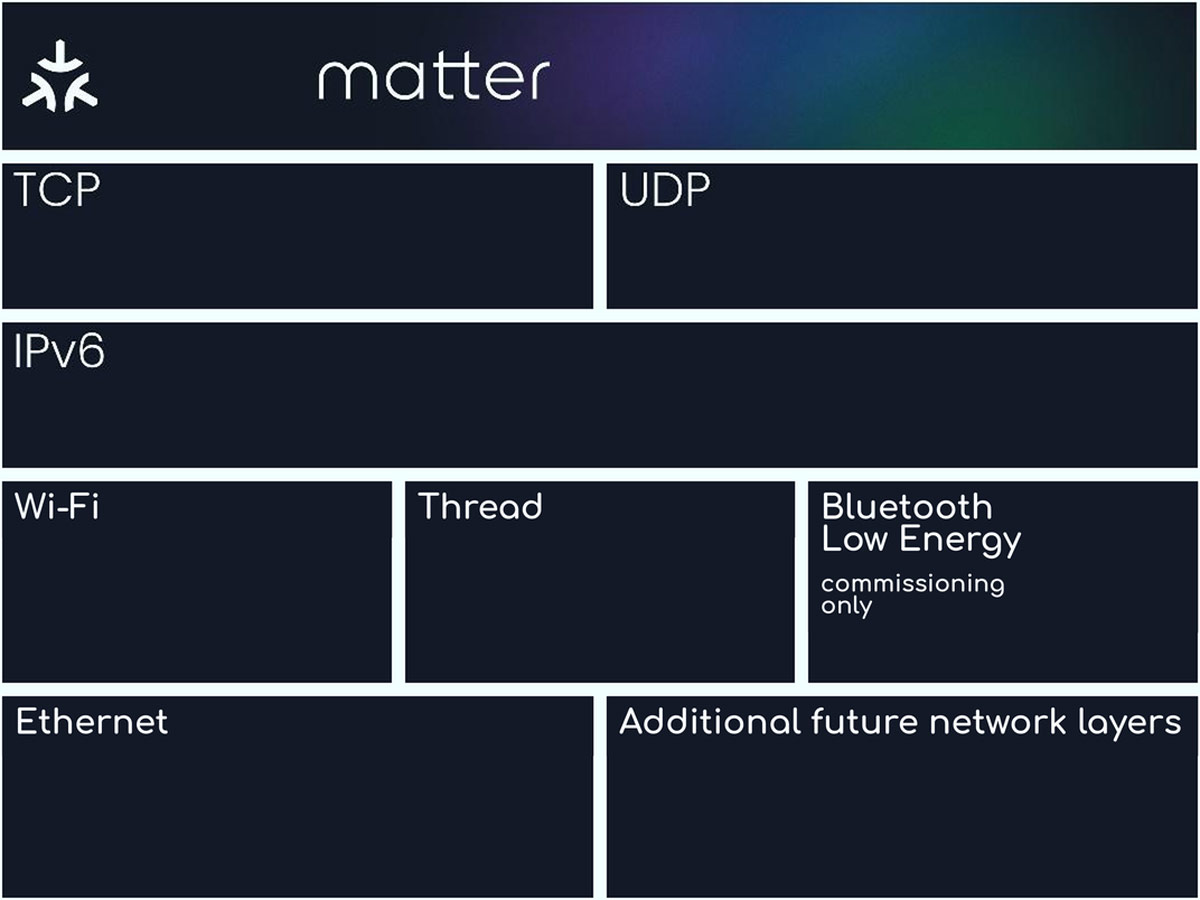
Matter uses IPv6 over Wi-Fi, Thread, or Ethernet, while Bluetooth Low Energy supports initial device setup.
Matter is an interoperability standard that helps compatible devices work with supported smart home platforms. It operates over networking technologies such as Wi-Fi and Thread.
A Matter-compatible bulb may therefore be a Wi-Fi bulb or a Thread bulb. Bluetooth is commonly used during setup rather than as the normal connection for Matter lighting commands.
For a typical Matter-over-Thread installation, check for both a compatible Matter controller and a Thread border router. Those functions may be built into the same device. Basic lighting controls may work across platforms, while specialized effects and settings can still require the manufacturer’s app.
How Do Smart Bulbs Change Brightness and Color?
The wireless command tells the bulb what to do. Its internal electronics determine how the LEDs produce the requested light.
Brightness Control
A smart bulb dims by changing how its driver operates the LEDs. Depending on the design, it may regulate current, use rapid electrical pulses, or combine control methods.
This adjustment happens inside the bulb. You can therefore change brightness through a supported app or wireless control without installing a conventional wall dimmer.
Minimum brightness and dimming smoothness vary between models. A bulb that supports dimming may still have a noticeable lower limit.
White Light and Color Temperature
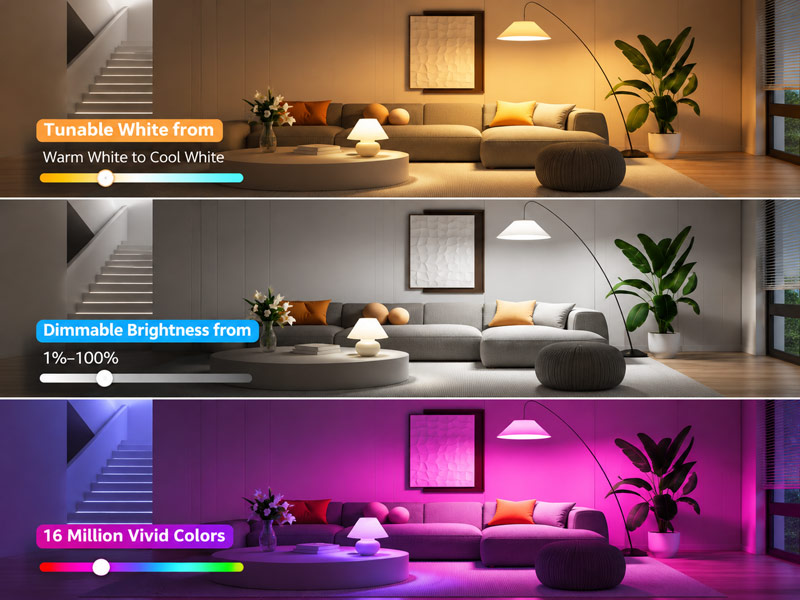
Some smart bulbs produce one fixed shade of white. Others contain separate warm-white and cool-white LED channels.
By changing the balance between those channels, a tunable-white bulb can move between warmer and cooler-looking light. Color temperature is measured in kelvins: lower values generally look warmer, while higher values look cooler.
Brightness and color temperature are separate settings. A warmer appearance does not necessarily mean that the bulb is producing less light.
Colored Light
Smart color-changing light bulbs commonly combine red, green, and blue LED channels. Adjusting the output of each channel produces different colors.
Some models also include dedicated white LEDs, which provide white light without relying entirely on mixing colored channels. Check the product specifications carefully: “smart,” “dimmable,” “tunable white,” and “full color” describe different capabilities.
How Do Schedules, Scenes, and Sensors Work?
A scene stores a combination of lighting settings. For example, a reading scene could set selected bulbs to a comfortable white light, while an evening scene could lower their brightness.
A schedule activates settings at a chosen time. Depending on the system, it may use a fixed clock time or an event such as sunset.
A sensor automation starts with a trigger. A compatible motion sensor might detect movement and tell the controller to switch on a hallway light. A separate rule could turn it off after a period without movement. These functions require compatible sensors and automation support; they are not automatically built into every smart bulb.
Schedules and automation rules may be stored in the bulb, a local controller, or an online service. Where they run affects whether they continue working during an internet interruption.
Why Must the Wall Switch Stay On?
A smart bulb needs continuous electrical power to receive commands.
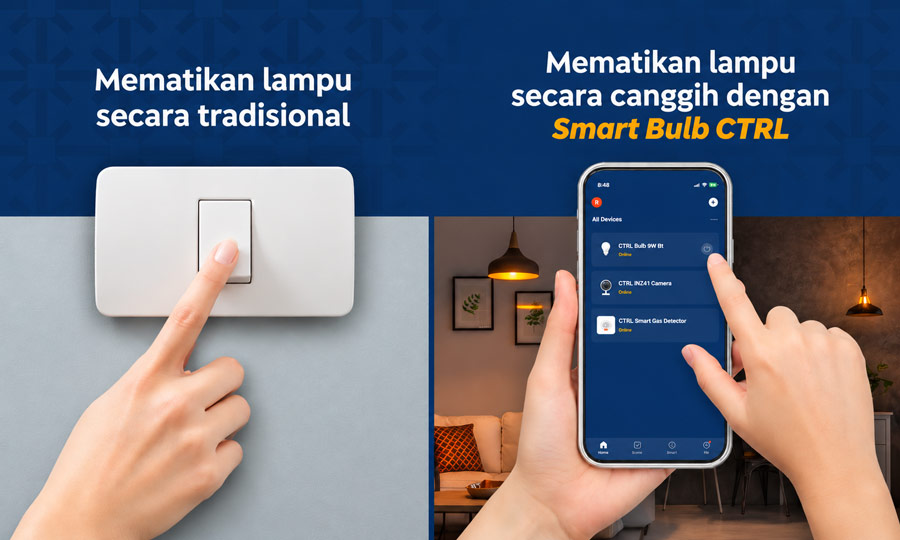
When you turn it off through an app, the LEDs stop producing light, but the control electronics remain active. This lets the bulb respond when you next ask it to turn on.
Kofod, C. (2022). Task 7: Smart lighting – New features impacting energy consumption (Second status report). IEA 4E Solid State Lighting Annex.
Switching off the wall switch disconnects that power. The bulb can no longer receive wireless commands or follow instructions from the controller.
For everyday operation, leave the supply switched on and use the app, a compatible wireless button, or another supported control. Wireless wall controls can provide familiar physical buttons while keeping the bulb powered.
Do Smart Bulbs Work Without the Internet?
Some functions can work without internet access, but this depends on the system’s design.
An internet outage does not necessarily shut down your home network. Your router may still allow local devices to communicate even when its connection to the wider internet is unavailable.
During that type of outage:
- Direct Bluetooth control may remain available within range.
- Supported local Wi-Fi controls may continue working.
- Local Zigbee controls and automations may operate if the required equipment remains powered.
- Matter controls can operate locally when the necessary network and controller remain available.
Cloud-dependent features may stop working. Away-from-home access normally also requires an internet connection at home, and many voice services depend on online processing.
Locally stored schedules may continue, while schedules handled by an online service may not. Check the product’s documented offline behavior if reliable automation is a priority.
How to Choose and Set Up a Smart Light Bulb
Start by checking the lighting requirements and the connection requirements.
- Confirm fixture compatibility. Check compatibility with existing light fixtures, including the bulb base, supply voltage, physical dimensions, and actual wattage limits.
- Choose sufficient light output. Compare lumens to match brightness. Watts describe electrical power consumption.
- Select the features you need. Decide whether you want fixed white, tunable white, or full-color lighting.
- Check the connection requirements. Confirm the supported Wi-Fi band, required hub, controller, or border router before purchasing.
- Install the bulb with the power off. Allow the old bulb to cool before replacing it, then restore power.
- Follow the pairing instructions. Use the specified app or compatible platform. Pairing and reset procedures vary between models.
- Name, group, and test the light. Give it a clear room name, check its controls, and test any schedules you create.
If pairing fails, first confirm that the bulb is powered, in pairing mode, and within communication range. For Wi-Fi models, check that the network settings match the bulb’s requirements.
Do Smart Light Bulbs Save Energy?
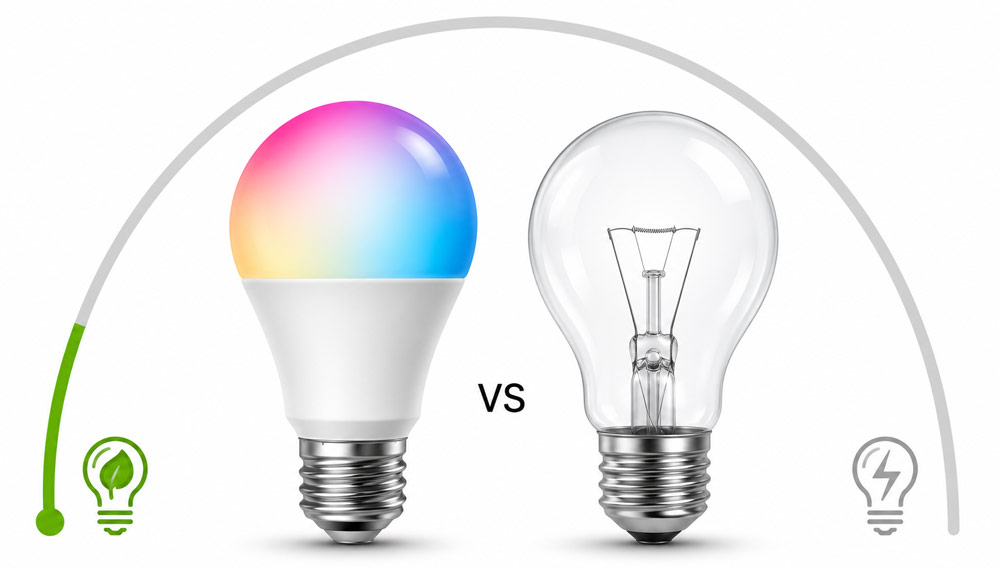
Smart LED bulbs can use substantially less electricity than incandescent bulbs producing similar light output. Their LED technology provides that underlying efficiency advantage. Scheduling, dimming, and occupancy-based controls can reduce unnecessary lighting hours further.
U.S. Department of Energy. (2023, June). Purchasing energy-efficient light bulbs.
Compared with an ordinary LED bulb, the outcome depends more on how the smart features are used. A smart bulb consumes standby electricity to keep its electronics ready for commands, and supporting hubs also use power.
Automation can offset that additional consumption when it prevents lights from being left on unnecessarily. If an ordinary LED is already used efficiently, changing to a smart version does not guarantee lower electricity consumption.
Compare actual operating wattage, standby power, supporting equipment, and expected usage when assessing energy savings.
FAQs
1. Can Smart Light Bulbs Be Used With a Regular Dimmer Switch?
Many smart bulbs require a continuous, undimmed power supply and should not be used with conventional wall dimmers unless explicitly approved. An incompatible dimmer can cause flickering on a dimmer circuit, buzzing, or unexpected resets—even when set to maximum brightness. Use the bulb’s supported app or wireless controls for dimming, and verify compatibility before combining it with an existing dimmer.
2. Can Smart Light Bulbs Be Used Outdoors?
Only when the bulb is approved for the intended location and installation. Check its damp- or wet-location suitability, operating temperature range, and the fixture’s protection against dust and water. A covered porch still exposes lighting to moisture and temperature changes. If the fixture is enclosed, the bulb must also be approved for that enclosure; weather protection alone does not establish thermal compatibility.
3. What Happens to Smart Bulbs After a Power Outage?
Behavior varies by model and settings. A bulb may turn on when power returns, restore its previous state, or follow a configurable power-recovery setting. Check the app and product documentation before using it in a bedroom or unattended property. Some recovery modes also have limitations during very short or repeated interruptions, so a setting should not be treated as an unconditional guarantee.
4. How Long Do Smart Light Bulbs Last?
Rated lifespans vary, with some models listing figures such as 15,000 or 25,000 operating hours. Actual service life depends on heat, ventilation, power quality, and the condition of the driver and other electronics. The lighting lifetime and software-support period are separate specifications: a bulb’s LEDs may remain functional after certain connected services or updates become unavailable. Check both before purchasing.
5. Can Smart Light Bulbs Be Hacked?
Smart bulbs are connected devices and can have security vulnerabilities. Reduce the risk by keeping firmware and control apps updated, using strong account and router passwords, and enabling multifactor authentication where available. Choose products with a clear security-update policy and use official apps. Security also depends on the wider system, including the router, hub, and accounts used to control the lights.
