
Table of Contents
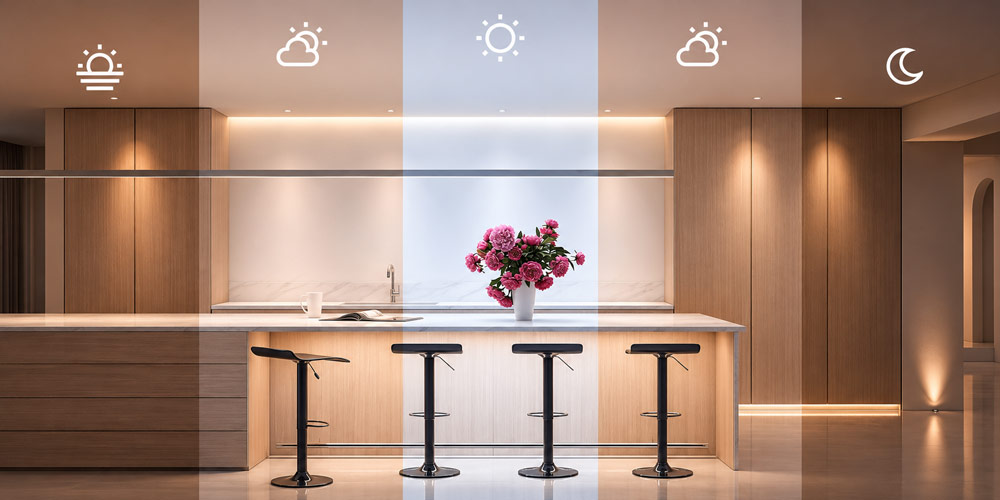
A lighting schedule that matches the natural daylight cycle uses local daylight and household routines to decide when lights turn on, how bright they get, and how warm or cool they look. A kitchen can brighten when the household wakes, a window-side light can dim as daylight reaches the counter, and garden lights can switch on earlier in winter as sunset moves forward.
Use fixed times for activities such as waking and going to bed, local sunrise and sunset for outdoor transitions, and light sensors where actual conditions vary. These controls can work together. A garden path can turn on shortly before sunset, while decorative lights on a separate circuit switch off at a fixed hour.
What Should Change Throughout the Day?
Light level determines how well you can see a task and how bright a space feels. During the day, use windows as a source of light and supplement them where you read, cook, or work. In the evening, lower the general light level and keep a dedicated lamp available for tasks that still need good visibility. A reading lamp aimed at a page can illuminate the book while the rest of the room stays subdued.
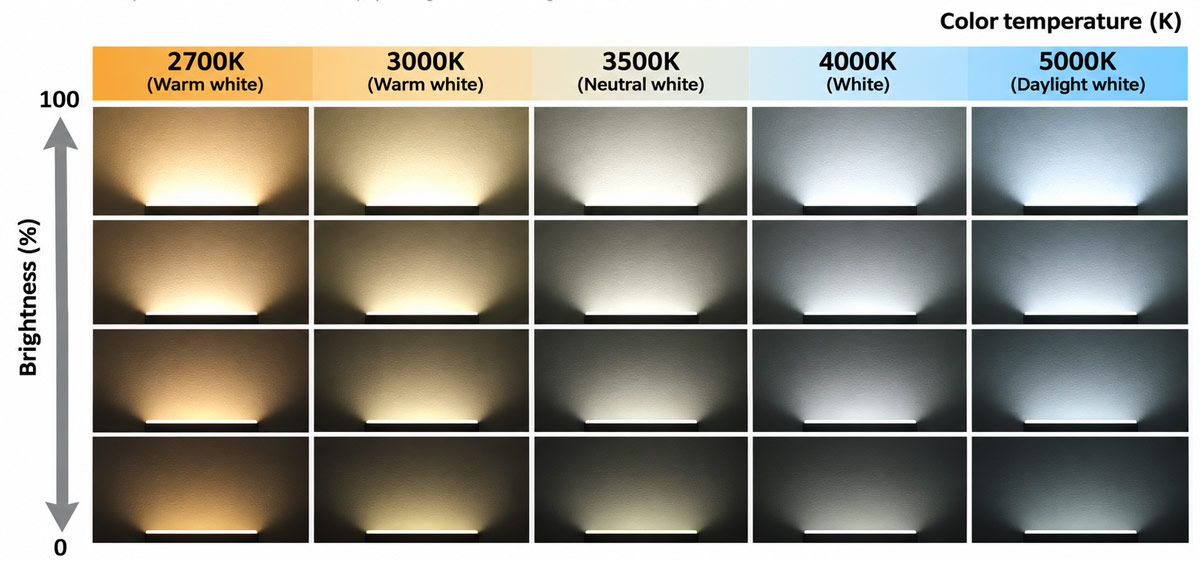
White light shifts from warm white at 2700 K to daylight white at 5000 K, and dimming reduces light output at each fixed color temperature.
Correlated color temperature, or CCT, describes the warm or cool appearance of white light. It is measured in kelvins. A 2700 K light generally looks warmer than a 4000 K light. Color temperature and light output are separate settings. A warm ceiling fixture at full output can still make a room feel very bright.
Timing determines when those settings change. The daily pattern of light and darkness helps synchronize the body’s circadian rhythm. A home schedule can create a clearer contrast between daytime and evening by changing the amount of light as well as its appearance. Light exposure also depends on fixture placement and the light reaching your eyes. A dimmer percentage describes a device setting, while illuminance in lux describes the light reaching a surface or a measurement point.
Light is also the main synchronizer of the human biological clock. Depending on the timing and intensity of the exposure, light exposure can shift the phase of the circadian rhythm acting on the scale of days and weeks, and can regulate the timing and quality of sleep. Commission Internationale de l’Éclairage. (2024). CIE PS 001:2024, Recommending proper light at the proper time (3rd ed.).
Choose the Right Trigger for Each Zone
| Trigger | Where it works best | How to use it |
|---|---|---|
| Fixed clock time | Wake-up routines, work hours, evening scenes, and outdoor shutoff times | Set events around when people use the space. Create separate weekday and weekend schedules where routines differ. |
| Local sunrise or sunset | Entrances, garden paths, patios, and other outdoor zones | Set the property’s location and add an offset if needed. For example, start a shaded walkway 15 minutes before sunset. |
| Ambient light level | Window-side rooms, covered entrances, and areas that get dark sooner under cloud or shade | Measure light in a representative spot and use the reading to switch or adjust the fixtures in that zone. |
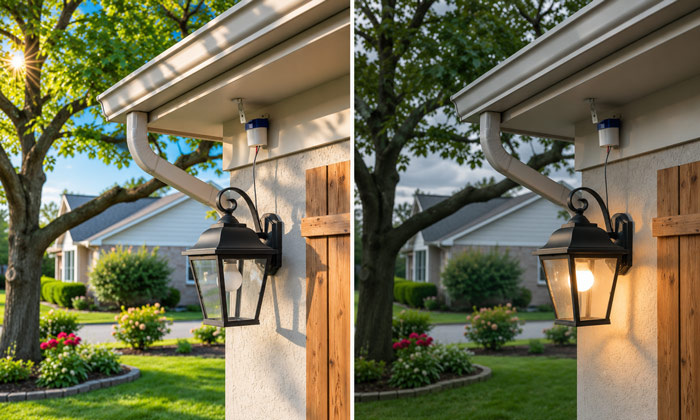
A sunset schedule follows the calculated local sunset time, while an ambient light sensor can switch on the porch light earlier if daylight falls below its threshold on an overcast day.
A sunrise or sunset trigger uses a calculated event for your location. A light sensor measures conditions at the installation. On an overcast afternoon, a covered entrance may need light before the scheduled sunset event. A sensor can account for that change, while the sunset event provides a predictable reference that shifts with the seasons.
An Example Daylight Lighting Schedule for a Home
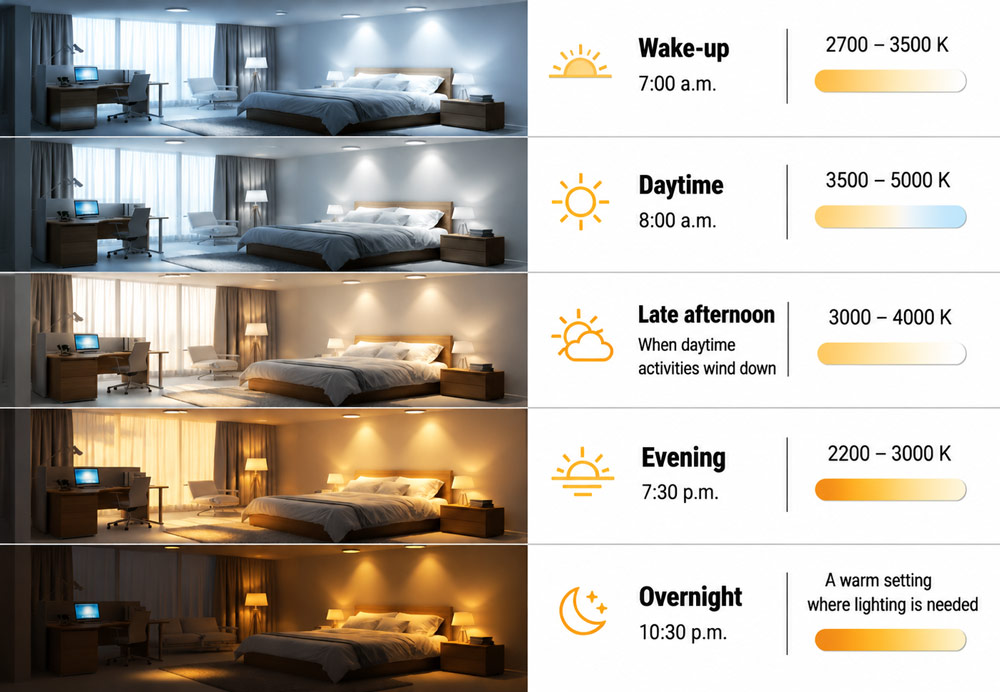
The example below assumes a 7:00 a.m. wake-up and a 10:30 p.m. bedtime. Treat the color temperatures and percentages as starting points for each room. Two fixtures set to 30% can produce very different light levels, depending on their output, placement, and dimming range.
| Phase | Example start | White-light setting | What the lights do |
|---|---|---|---|
| Wake-up | 7:00 a.m. | 2700–3500 K | Start selected lights around 20–30% and increase gradually over 15–30 minutes if you prefer a softer start. Bring task lights up sooner where needed. |
| Daytime | 8:00 a.m. | 3500–5000 K | Set each occupied zone to a useful working level. Reduce the electric light near windows when daylight is sufficient. |
| Late afternoon | When daytime activities wind down | 3000–4000 K, if preferred | Shift living areas toward a softer setting while keeping the kitchen and work areas lit for ongoing tasks. |
| Evening | 7:30 p.m. | 2200–3000 K, within the fixture’s range | Try 15–35% for general lighting. Use a separate reading or countertop light where more visibility is needed. |
| Overnight | 10:30 p.m. | A warm setting where lighting is needed | Turn off general lighting. Set any night-route light to the lowest level that still makes steps, thresholds, and obstacles easy to see. |
A single room can have more than one setting at the same time. In an open kitchen and living area, the kitchen counter can stay bright through dinner preparation while the living-room lamps shift to a warmer setting. In a home office, the desk lamp can remain steady while the fixtures closest to the window dim as daylight increases.
Select Hardware That Can Deliver Each Setting
A smart switch or relay is enough for a circuit that needs scheduled on and off. It suits an entry light, a fixed-output garden circuit, or any zone where the fixtures already provide the right light whenever they run.
A compatible LED dimmer adds control over output. With fixed-white LEDs, it reduces brightness while the apparent color stays broadly similar. Dim-to-warm LEDs are designed to become warmer as they dim, which can suit rooms where the two changes should happen together. Check the minimum stable setting with the actual fixtures. If they flicker or drop out at a low level, set the scene above that point.
Tunable-white smart bulbs or fixtures let you set brightness and white color temperature independently. They suit rooms that need a bright warm scene for an evening task as well as a dim warm scene later. Check the supported Kelvin range, whether scheduled scenes can set both values, and whether the controller supports the fade duration you want. Smart bulbs generally need continuous power to receive commands. If people regularly use a wall switch, choose a compatible wall control that can send commands while keeping the bulbs powered.
A landscape lighting timer with astronomical scheduling can follow seasonal changes outdoors. Check whether it can combine a sunset-based start with a fixed shutoff time. If a path and a decorative garden feature need different hours, give them independently controllable outputs or circuits.
How to Set Up the Schedule
- Group lights by what they illuminate. Start with the places where the same setting causes problems at different times of day. Put ceiling and countertop lights in separate groups if they serve different jobs. Outdoors, group steps and paths separately from planting-bed or façade accents when your system allows it.
- Save scenes at the light levels you actually use. Create named settings such as Kitchen Daytime, Living Room Evening, and Hall Night. Test them from the places people stand or sit. Check the kitchen counter for shadows, look for glare on a computer screen, and walk the hall to see whether each step and threshold is visible. Adjust the scenes before assigning them to the schedule.
- Set the time rules and check the next run. Enter the home location and time zone for sunrise and sunset events. Set wake-up and evening scenes around the household’s routine. For an outdoor offset, verify the next calculated run time so you can confirm that “15 minutes before sunset” is set in the intended direction.
- Decide what happens when a light is already off. In rooms that should stay dark until someone enters, use time-based updates that apply only to lights already on if your controller supports them. Set the wall control or app to recall the scene for the current time when someone turns the lights on. For example, a living-room lamp switched on at 9:00 p.m. should start in its evening setting even if it was off when the evening transition ran.
- Calibrate sensors and set an override. For daytime dimming, place the sensor where its reading reflects the daylight available to the zone. If the controller offers separate thresholds for brightening and dimming, or a short response delay, use them to prevent repeated changes as clouds pass. Set manual changes to hold until a defined time or the next scheduled scene, so someone finishing a task can keep the light they need.
Test the schedule on a bright day, an overcast day, and after dark. A temporary test event a few minutes ahead can confirm that a rule runs as expected. Check what happens when a light is off at the transition, when someone adjusts it manually, and when the next scene takes over.
How to Match Garden and Path Lighting to Sunset
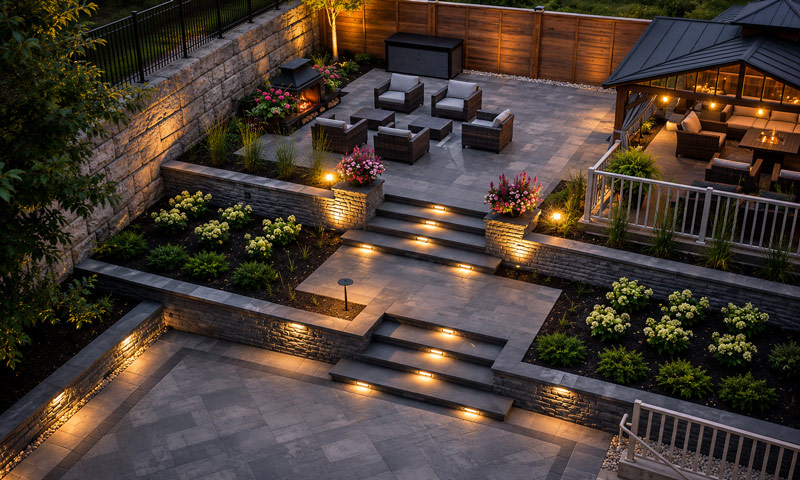
Start by separating lights that help people move through the property from lights that highlight it. Entry steps and paths need enough light to show changes in level. Planting beds, trees, and walls can follow a shorter schedule. Aim fixtures at the areas they serve and use the lowest output that gives those areas useful coverage.
Direct light so it falls only where it is needed
Use shielding and careful aiming to target the direction of the light beam so that it points downward and does not spill beyond where it is needed. DarkSky International. (2026, September 30). Five principles for responsible outdoor lighting.
An outdoor schedule might work like this.
| Zone | Start | End or late-night behavior |
|---|---|---|
| Shaded entrance and steps | 15 minutes before local sunset | Keep the route adequately lit during expected use. If you dim it later, check visibility at the step edges and the door threshold. |
| Open patio | At sunset, or slightly later if twilight gives enough visibility | Switch off at the end of normal use, with a manual extension for gatherings. |
| Decorative garden accents | 10 minutes after sunset, provided the start falls before the curfew | Switch off at 10:00 p.m. Skip the decorative scene if a late summer sunset puts its start after that cutoff. |
With a 15-minute lead, a 4:45 p.m. winter sunset turns the entrance lights on at 4:30 p.m. An 8:30 p.m. summer sunset moves the same rule to 8:15 p.m. Check the offset on the property. A tree-lined approach and an open patio can have very different visibility at the same time of day. At high latitudes where a controller may have no sunrise or sunset event on some dates, use a supported clock-time or light-level fallback for any route that still needs illumination.
For outdoor evening scenes, keep the light warm and directed. When choosing between 2700 K and 3000 K landscape lighting, view the fixtures against the paving, plants, or walls they will illuminate. From the entrance, check that neighboring fixtures look consistent and that beams stay within the areas people need to see.
FAQs
1. Will a Sunrise and Sunset Lighting Schedule Work Without Internet?
It depends on where the rule runs and where it gets its solar times. A device or local controller can continue running a schedule offline if it has the settings, a reliable clock, and the ability to calculate the solar events locally. Some systems store the schedule but reuse the last available sunrise or sunset time during an outage. Cloud-run routines may wait for connectivity to return. Check how your controller handles solar events specifically, since fixed-time schedules and solar schedules can behave differently.
2. Can a Smart Plug Put a Regular Lamp on a Daylight Schedule?
Yes. A compatible smart plug can switch a regular lamp at sunrise, sunset, or a fixed hour if its scheduling controls support those triggers. With the lamp switched on, unplug it and reconnect it. If it lights immediately when power returns, it can generally follow the plug’s on-and-off commands. A lamp with an electronic touch control may return to standby and require a tap. A standard on-and-off smart plug controls power. Brightness and color temperature require controls that support those functions.
3. Do Sunrise and Sunset Schedules Adjust for Daylight Saving Time?
They can if the controller supports the local daylight saving rules and has the correct date, time zone, and region. Some standalone timers have a separate automatic daylight saving setting that you need to enable. After a clock change, check the next displayed sunrise or sunset event against the local time. If it is an hour off, review the timer’s clock and daylight saving settings before changing the offset you chose for the property.
4. Can Solar Pathway Lights Follow a Sunrise and Sunset Schedule?
Many solar pathway lights turn on when an onboard sensor detects darkness. They can then run until daylight returns, a programmed duration ends, or the battery runs low, depending on the model. This gives a basic dusk-to-dawn response. If you need a row of lights to switch off together at a specific hour, choose models with a supported timer or coordinated control. Also check how much sun the panels receive during the day, since the available charge determines how long the fixtures can run.
5. Does a Daylight-Matching Smart Lighting Schedule Save Electricity?
It saves electricity when it reduces operating hours or lowers actual power draw. For example, a group of garden lights drawing 32 watts uses 0.128 kWh less per night if the schedule cuts its runtime by four hours. That comes to about 3.8 kWh over 30 nights. To compare the whole system, include any transformer losses and the standby power of connected controls. If you dim the fixtures for part of the night, use measured or specified wattage at that setting for a more accurate estimate.
