
What Is a Landscape Lighting Timer?
Why Use a Landscape Lighting Timer?
Common Types of Landscape Lighting Timers
How a Landscape Lighting Timer Works
Best Schedule for Landscape Lighting
Landscape Lighting Timer vs Photocell
Choosing the Right Landscape Lighting Timer
Important Features to Look For
Where to Install a Landscape Lighting Timer
Common Problems With Landscape Lighting Timers
How to Reset a Landscape Lighting Timer
Energy Efficiency and Cost Savings
Landscape Lighting Timer for Security
Timer Settings for Different Outdoor Areas
Landscape Lighting Timer Maintenance
Mistakes to Avoid
FAQs
Landscape lighting can make a home safer, more attractive, and more functional after dark. It highlights pathways, gardens, patios, driveways, trees, walls, and architectural features while improving visibility around the property. However, without proper control, outdoor lighting can waste electricity, require constant manual operation, and fail to work when you need it most. That is where a landscape lighting timer becomes essential.
A landscape lighting timer allows your outdoor lights to turn on and off automatically according to a schedule. Instead of remembering to switch the lights on at sunset and off before bed, the timer handles the process for you. Whether you have a simple front-yard lighting setup or a more advanced outdoor lighting system, using the right timer can improve convenience, energy efficiency, security, and the overall performance of your landscape lighting.
What Is a Landscape Lighting Timer?
A landscape lighting timer is a device that controls when outdoor lights turn on and off. It is commonly connected to a low-voltage landscape lighting transformer, though some timers are built into smart plugs, outdoor outlets, or integrated lighting control systems.
Most landscape lighting systems use a transformer to reduce household voltage to a safer low-voltage output, often 12 volts. The timer works with the transformer to control power delivery to the outdoor lights. When the scheduled time arrives, the timer activates the lighting system. When the off-time arrives, it cuts power automatically.
In simple terms, a landscape lighting timer acts like an automatic switch for your outdoor lighting.
Why Use a Landscape Lighting Timer?
A timer is one of the most useful accessories for any outdoor lighting system. It offers several practical benefits.
First, it saves time. You do not need to manually turn your lights on and off every evening. Once the timer is set, the system runs automatically.
Second, it helps reduce energy waste. Outdoor lights that stay on all night can increase electricity use. A timer allows you to keep lights on only during the hours when they are needed.
Third, it improves security. A well-lit property can discourage unwanted visitors. Timed lights can make a home appear occupied even when you are away.
Fourth, it protects the lighting system. Running lights longer than necessary may shorten the lifespan of bulbs, fixtures, and other components. A timer helps avoid unnecessary operating hours.
Finally, it improves consistency. Your landscape lighting looks its best when it operates on a predictable schedule, especially during evenings, outdoor gatherings, or seasonal displays.
Common Types of Landscape Lighting Timers
There are several types of landscape lighting timers available. Each type has different features, advantages, and limitations.
Mechanical Timers
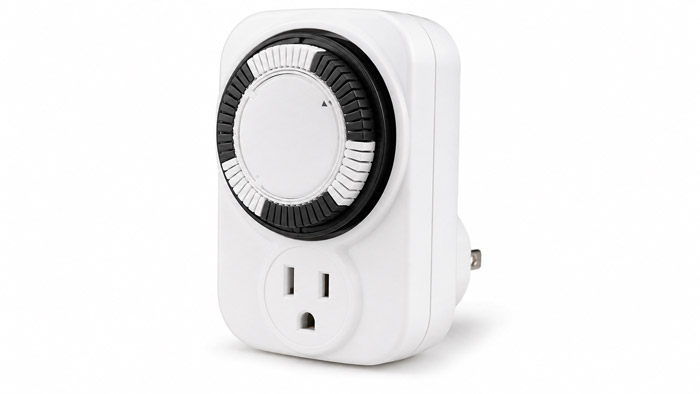
Mechanical timers are among the simplest and most affordable options. They usually use a rotating dial with small pins or tabs that allow you to set on and off times.
To use a mechanical timer, you set the current time, then position the pins to determine when the lights should turn on and off. These timers are easy to understand and do not require complicated programming.
Mechanical timers are a good choice for basic landscape lighting systems. However, they may need occasional adjustment, especially after power outages or seasonal changes in sunset time.
Digital Timers
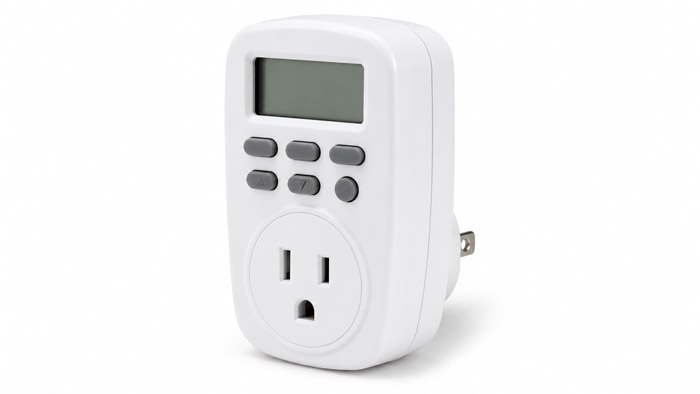
Digital timers offer more precise scheduling than mechanical timers. They usually have a small screen and buttons that allow you to program specific on and off times.
Many digital timers can support multiple schedules, weekday and weekend settings, countdown functions, and battery backup. This makes them more flexible than mechanical models.
Digital timers are useful for homeowners who want better control over their lighting schedule. However, they may take a little more time to program, especially for users who are not familiar with digital controls.
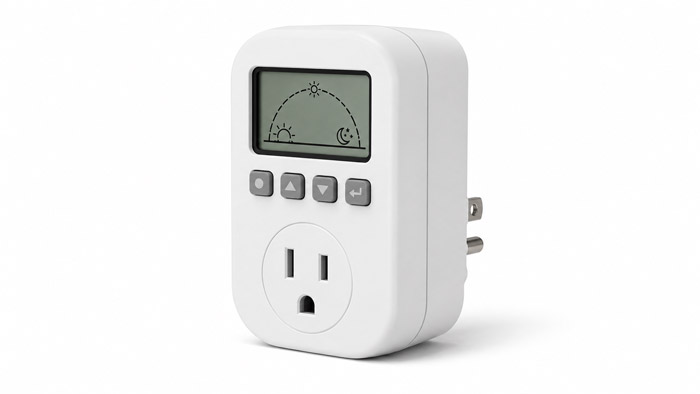
Astronomical Timers
An astronomical timer automatically adjusts lighting schedules based on sunrise and sunset times. Instead of setting a fixed on-time, you program your location or time zone, and the timer calculates when the sun rises and sets throughout the year.
This is especially useful for landscape lighting because sunset changes daily. In summer, lights may not need to turn on until later in the evening. In winter, they may need to turn on much earlier. An astronomical timer adjusts automatically, reducing the need for manual changes.
Many homeowners consider astronomical timers one of the best options for landscape lighting because they are convenient and efficient.
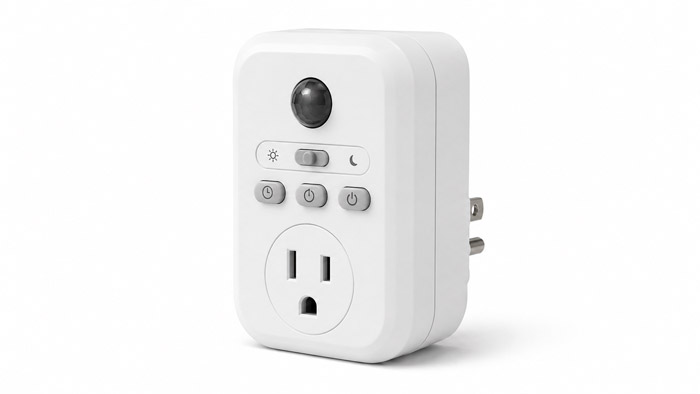
Photocell Timers
A photocell timer uses a light sensor to detect natural light levels. When it gets dark, the lights turn on. When daylight returns, the lights turn off.
Some photocell systems also include a timer function. For example, the lights may turn on at dusk and then shut off after four, six, or eight hours. This is a popular setup for outdoor lighting because it combines automatic dusk detection with energy-saving shutoff control.
Photocell timers work well when the sensor is installed in the right location. However, the sensor should not be placed where it is affected by porch lights, streetlights, headlights, or direct fixture glare.
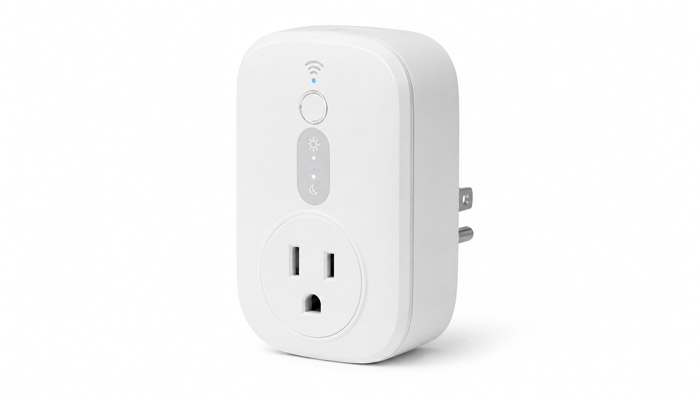
Smart Landscape Lighting Timers
Smart timers connect to Wi-Fi, Bluetooth, or a smart home system. They can often be controlled through a mobile app, voice assistant, or home automation platform.
Smart timers allow you to adjust your landscape lighting schedule from your phone. Some models support sunrise and sunset automation, vacation mode, remote control, scene settings, and integration with other smart devices.
A smart timer is a strong choice for homeowners who want maximum flexibility. For example, you can turn on patio lights before guests arrive, adjust schedules while traveling, or create different lighting scenes for weekdays, weekends, and special occasions.
The main drawback is that smart timers may require a stable internet connection, app setup, and compatibility with your existing transformer or outdoor outlet.
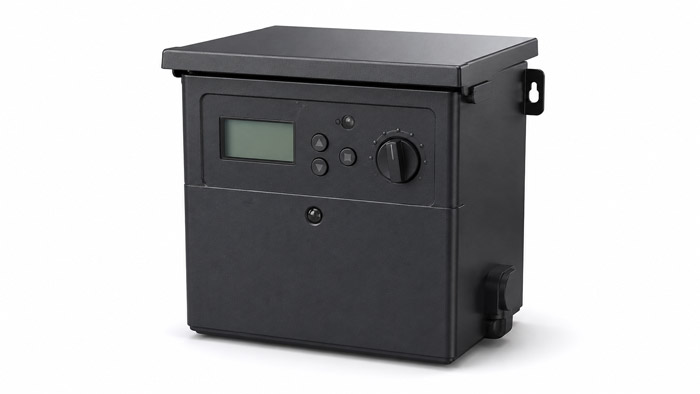
Built-In Transformer Timers
Many modern landscape lighting transformers come with built-in timers. These may be mechanical, digital, astronomical, photocell-based, or smart controls.
A built-in timer is convenient because it keeps everything in one unit. Instead of adding a separate timer, the transformer itself manages the schedule.
When buying a new transformer, it is worth checking whether it includes timer functions. A transformer with a reliable built-in timer can simplify installation and reduce the number of separate devices needed.
How a Landscape Lighting Timer Works
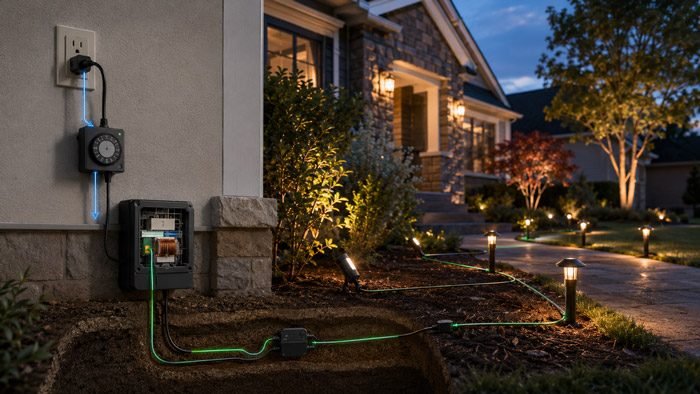
A landscape lighting timer works by interrupting or supplying power to the lighting system according to a programmed schedule.
In a typical low-voltage system, household power enters the transformer. The transformer reduces the voltage and sends power through low-voltage wires to the outdoor fixtures. The timer controls when the transformer sends power to those fixtures.
Depending on the timer type, activation may be based on:
Fixed clock times, such as 6:00 p.m. to 11:00 p.m.
Sunset and sunrise calculations.
Light levels detected by a photocell sensor.
Commands from a mobile app or smart home system.
Once the timer activates, all connected lights turn on. When the timer shuts off, the lights turn off together unless the system has multiple zones or advanced controls.
See also: Maitanmi, S. O., Sunday, I. A., Yaw, M. A., Samuel, O., Victor, I., & Simon, S. (2023). Design and implementation of auto switch lighting monitoring and control system. International Journal on Recent and Innovation Trends in Computing and Communication, 11(6), 253–258.
Best Schedule for Landscape Lighting
The best schedule depends on how you use your outdoor space. However, many homeowners use one of the following schedules.
For general curb appeal, lights may turn on at dusk and turn off around 11:00 p.m. or midnight.
For security lighting, some lights may stay on throughout the night, especially near entrances, garages, dark corners, and pathways.
For energy savings, lights may turn on at sunset and shut off after four to six hours.
For entertaining, lights may run later on weekends or during outdoor events.
For pathways and entryways, lighting should stay on during the hours when people are likely to arrive or leave.
A good landscape lighting schedule should balance appearance, safety, security, and energy use.
Landscape Lighting Timer vs Photocell
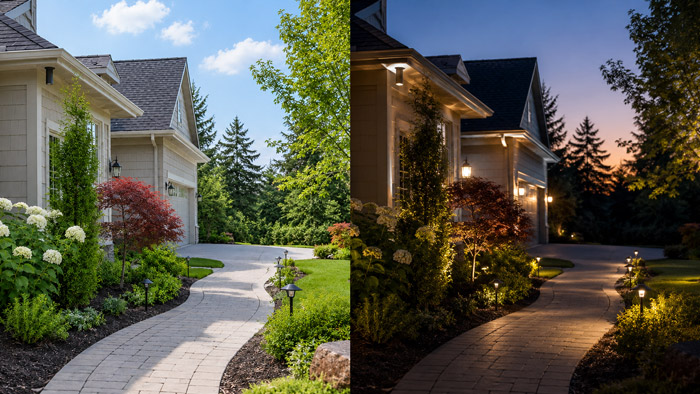
A timer and a photocell both automate outdoor lighting, but they work differently.
A timer follows a schedule. It turns lights on and off at specific times. This gives you predictable control, but fixed timers may need seasonal adjustments.
A photocell responds to natural light. It turns lights on when it gets dark and turns them off when it gets bright. This is convenient, but the sensor must be positioned carefully.
For many landscape lighting systems, the best solution is a combination of both. A dusk-to-timer setup allows lights to turn on automatically at sunset and shut off after a selected number of hours. This keeps the system responsive to seasonal daylight changes while preventing lights from running all night unnecessarily.
See also: Bellido-Outeiriño, F. J., Quiles-Latorre, F. J., Moreno-Moreno, C. D., Flores-Arias, J. M., Moreno-García, I., & Ortiz-López, M. (2016). Streetlight control system based on wireless communication over DALI protocol. Sensors, 16(5), 597.
Choosing the Right Landscape Lighting Timer
Choosing the right timer depends on your lighting system, lifestyle, and control preferences.
If you want a low-cost and simple option, a mechanical timer may be enough.
If you want more accurate programming, choose a digital timer.
If you do not want to adjust the schedule throughout the year, choose an astronomical timer.
If you want the lights to respond automatically to darkness, choose a photocell or photocell timer.
If you want app control, voice control, or remote access, choose a smart timer.
If you are installing a new system, consider a transformer with a built-in timer to keep the setup clean and simple.
You should also make sure the timer is suitable for outdoor or damp-location use when installed outside. If the timer will be exposed to weather, it should be rated for outdoor conditions or installed inside a weatherproof enclosure.
Important Features to Look For
When buying a landscape lighting timer, look for features that match your needs.
A good timer should be easy to program. Complicated controls can become frustrating, especially when you need to adjust the schedule.
It should have enough capacity for your lighting system. Make sure it is compatible with your transformer, voltage, wattage, and installation type.
Battery backup is useful because it helps preserve settings during power outages.
Multiple schedule options are helpful if you want different settings for weekdays, weekends, holidays, or outdoor events.
Astronomical settings are valuable if you want automatic sunrise and sunset adjustment.
Weather resistance is important for outdoor installation.
Smart control is useful if you want to manage your lights from a phone or connect them to a smart home system.
Where to Install a Landscape Lighting Timer
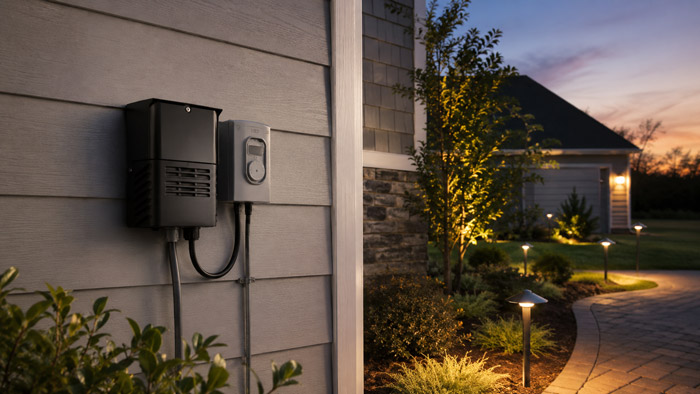
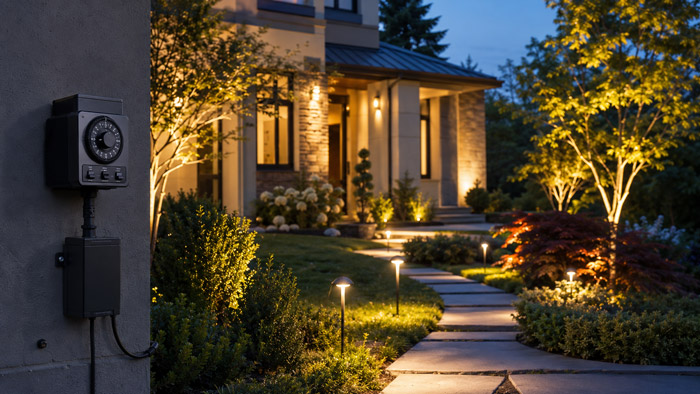
The timer is usually installed near the landscape lighting transformer. Many transformers are mounted on an exterior wall, garage wall, shed, basement wall, or utility area.
If the timer is separate from the transformer, it may plug into an outdoor-rated outlet, or it may be wired into the system depending on the product design.
The installation location should be accessible, protected, and appropriate for the timer’s rating. Avoid placing the timer where it may be submerged, directly sprayed by irrigation, or exposed to physical damage.
For photocell timers, sensor placement matters. The sensor should receive natural daylight but should not be affected by artificial light from the landscape fixtures themselves.
Common Problems With Landscape Lighting Timers
Even a good timer can cause problems if it is not installed or programmed correctly.
One common issue is the lights turning on or off at the wrong time. This may happen if the clock is set incorrectly, the time zone is wrong, daylight saving settings are incorrect, or the timer lost power.
Another issue is lights not turning on at all. This may be caused by a tripped GFCI outlet, transformer issue, blown fuse, loose wiring, overloaded transformer, or incorrect timer setting.
Lights that stay on all day may indicate a failed timer, incorrect programming, or a photocell sensor that is blocked or installed in a dark location.
Lights that flicker or operate inconsistently may be caused by loose wiring, poor connections, moisture intrusion, transformer overload, or voltage drop rather than the timer itself.
If a smart timer stops responding, the cause may be Wi-Fi issues, app settings, firmware problems, or power loss.
How to Reset a Landscape Lighting Timer
Resetting a landscape lighting timer depends on the type of timer.
For a mechanical timer, check the current time setting and make sure the pins or tabs are positioned correctly. Rotate the dial to the correct time and confirm the manual override switch is not in the wrong position.
For a digital timer, use the reset button if available, then reprogram the current time, on-time, off-time, and day settings.
For an astronomical timer, confirm the date, time, time zone, and location settings.
For a photocell timer, make sure the sensor is clean and properly positioned.
For a smart timer, check the app, Wi-Fi connection, power supply, and device pairing.
After resetting the timer, test the system manually to make sure the lights and transformer are working properly.
Energy Efficiency and Cost Savings
A landscape lighting timer can help lower energy use by limiting unnecessary operation. This is especially important if your lights would otherwise remain on all night.
The energy savings depend on the number of fixtures, bulb type, wattage, and daily operating hours. LED landscape lights already use much less electricity than older halogen lights, but a timer can improve efficiency even further.
For example, running lights from dusk to midnight instead of dusk to sunrise can significantly reduce operating hours. Over weeks and months, that reduction can add up.
A timer also helps extend the life of bulbs and fixtures by reducing unnecessary runtime. Fewer operating hours can mean less heat, less wear, and less frequent replacement.
See also: Thungtong, A., Chaichan, C., & Suwannarat, K. (2021). A web-based control system for traditional street lighting that uses high-pressure sodium lamps. Heliyon, 7(11), Article e08329.
Landscape Lighting Timer for Security
Outdoor lighting plays an important role in home security. A timer helps ensure that key areas remain illuminated when needed.
Common security lighting areas include front doors, side gates, garage doors, driveways, walkways, backyards, patios, and dark corners near the home.
A timer can also make a home look occupied when you are away. Some smart timers and digital timers offer random or vacation modes, which vary the lighting schedule slightly to create a more natural appearance.
For security purposes, it is often better to combine landscape lighting with motion lights, cameras, and proper fixture placement. A timer alone is useful, but it works best as part of a complete outdoor security strategy.
Timer Settings for Different Outdoor Areas
Different outdoor spaces may need different lighting schedules.
Path lights should usually come on around dusk and stay on until people are no longer likely to walk outside.
Entryway lights should remain on during evening arrival hours.
Garden accent lights may only need to operate during the early evening.
Patio and deck lights may need longer schedules during warm seasons or weekends.
Driveway lights may be useful from dusk until late evening or overnight, depending on security needs.
Tree uplights and architectural lights are often used for visual effect and can usually shut off before midnight.
If your system supports multiple zones, you can create separate schedules for decorative lighting, safety lighting, and security lighting.
Landscape Lighting Timer Maintenance
Landscape lighting timers do not require much maintenance, but a few checks can prevent problems.
Review the schedule seasonally to make sure it still matches your needs.
Check the timer after power outages to confirm the clock and settings are correct.
Inspect outdoor outlets and transformer areas for moisture, corrosion, or damage.
Clean photocell sensors so dirt, leaves, or debris do not block natural light.
Make sure smart timers remain connected to Wi-Fi and receive updates when needed.
Check that wires and plugs are secure.
A few minutes of maintenance can keep your outdoor lighting reliable year-round.
One common mistake is choosing an indoor timer for an outdoor location. Outdoor lighting equipment must be protected from weather and moisture.
Another mistake is failing to adjust a basic timer as sunset times change. A fixed schedule that works in winter may turn lights on too early in summer.
Some homeowners place photocell sensors too close to light fixtures. When the lights turn on, the sensor detects the artificial light and shuts the system off, causing cycling or inconsistent operation.
Another mistake is overloading the transformer or timer. Always make sure the equipment can handle the total wattage of the lighting system.
It is also a mistake to set all lights to run all night without considering energy use and fixture lifespan. Some lights may need overnight operation, but decorative lights often do not.
Can a landscape lighting timer work with LED lights?
Yes. Most landscape lighting timers can work with LED outdoor lights, as long as the timer is compatible with the transformer and total system load.
LED lights use less power than halogen fixtures, making them ideal for timed landscape lighting systems.
Do I need a special timer for low-voltage landscape lighting?
Yes, low-voltage landscape lighting usually works through a transformer, so the timer must be compatible with that transformer.
Some timers plug into the power source before the transformer, while others are built directly into the transformer.
What is the best timer setting for LED landscape lights?
A common setting is dusk to 11 p.m. or dusk to midnight. For security areas, lights may stay on longer.
For decorative lighting, a shorter evening schedule is usually enough to reduce energy use and extend fixture life.
Can I use one timer for multiple landscape lighting zones?
Yes, but only if the transformer or control system supports multiple zones. A basic timer usually controls all connected lights together.
For separate schedules, you may need a multi-zone transformer, smart controller, or separate timers.
Why does my landscape lighting timer lose its settings?
A timer may lose settings because of power outages, weak backup batteries, incorrect programming, or internal timer failure.
Digital and smart timers with battery backup or memory protection are better for keeping schedules stable.
